
The Locus Elite App
One secure command hub for intelligence — built to monitor, analyze, summarize, visualize, organize, and act on information with global reach.


Real screens. The same ones on the App Store.
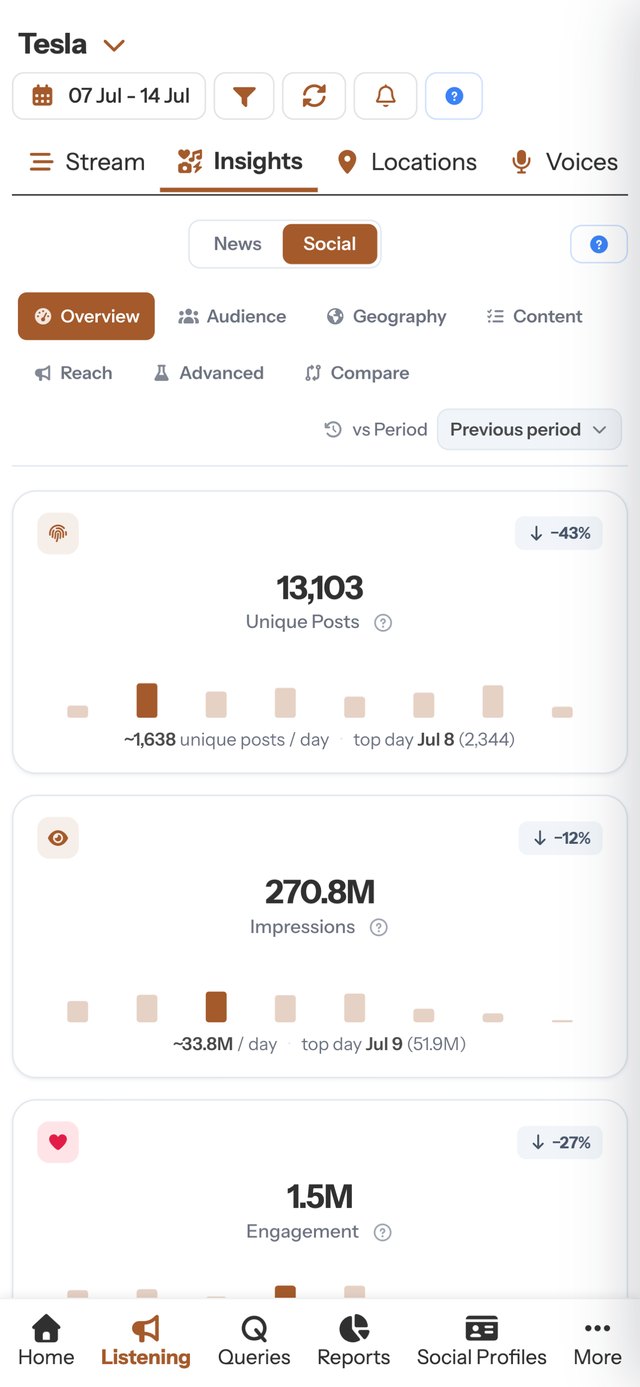
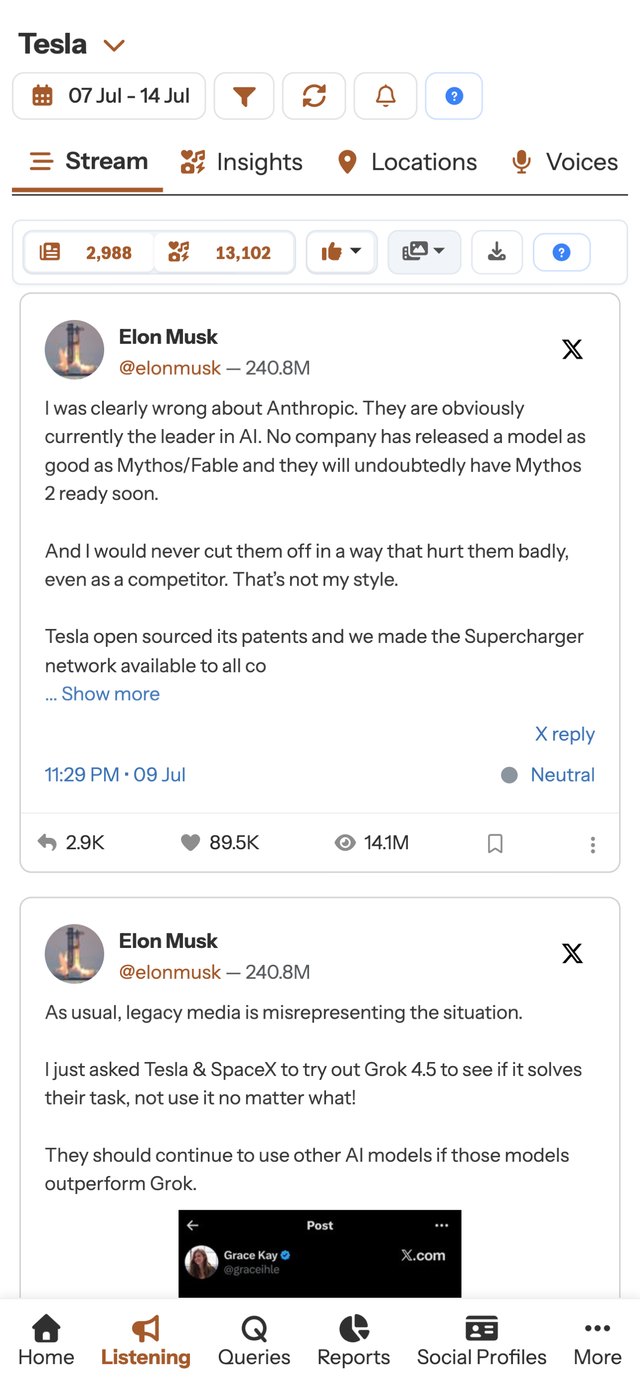
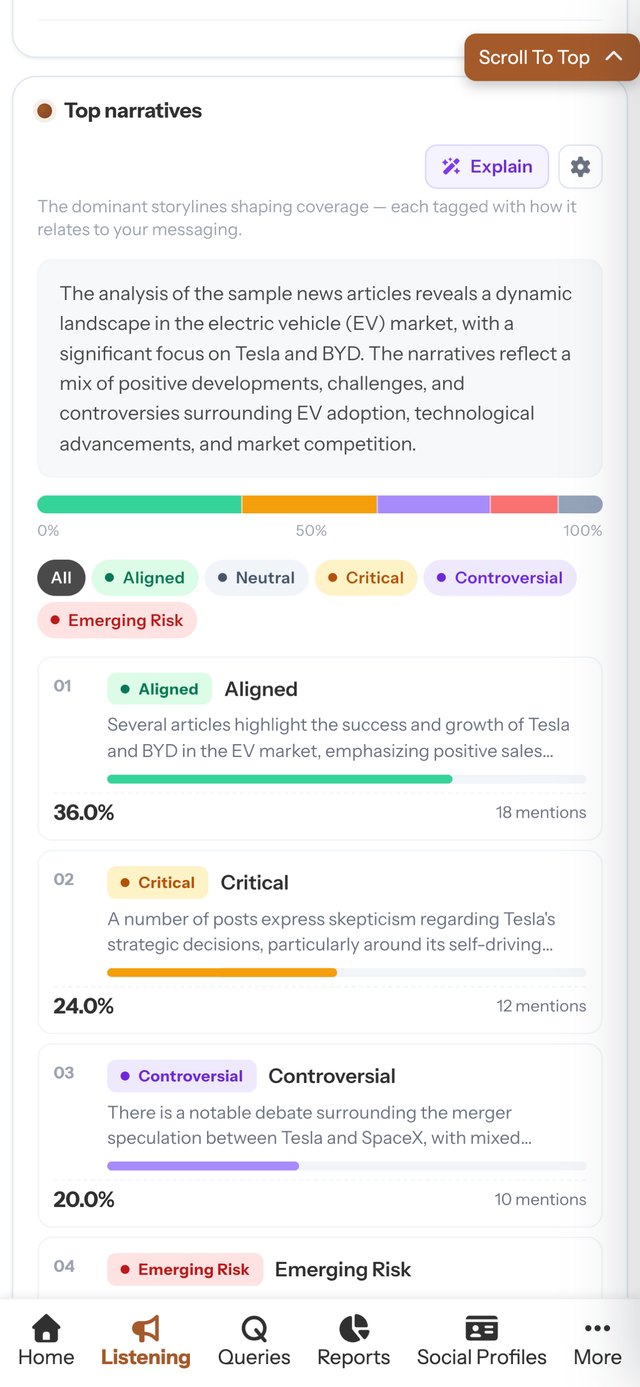
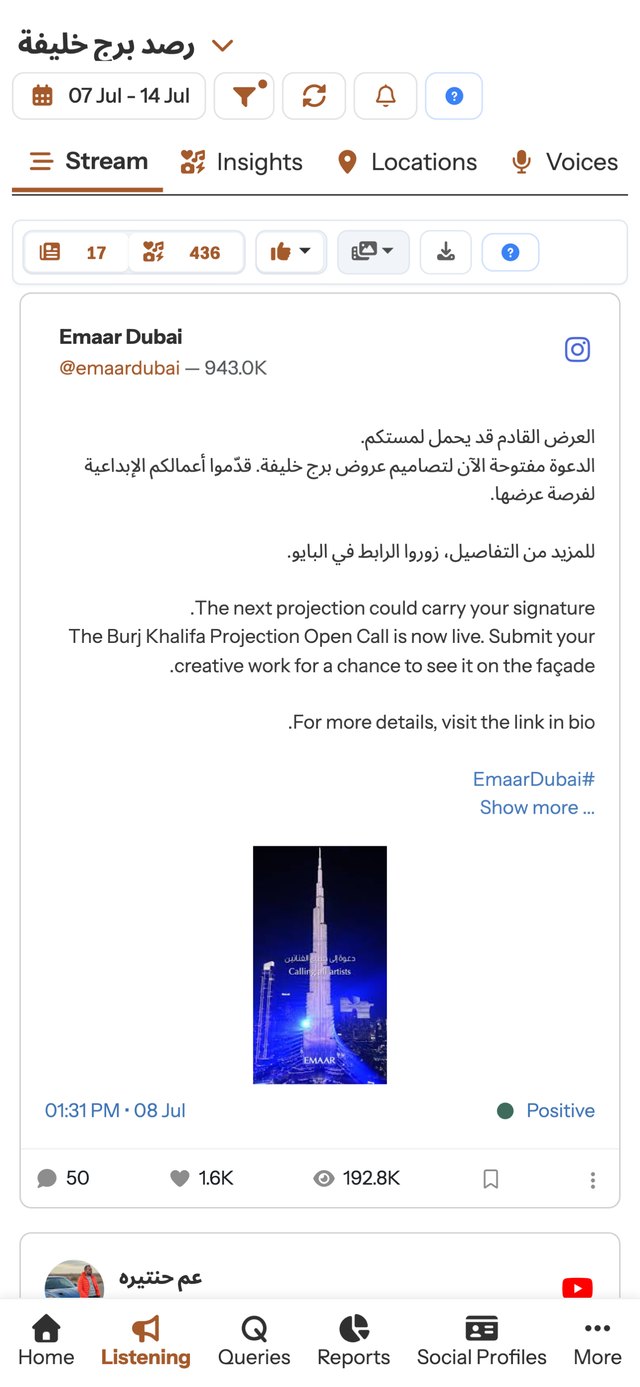
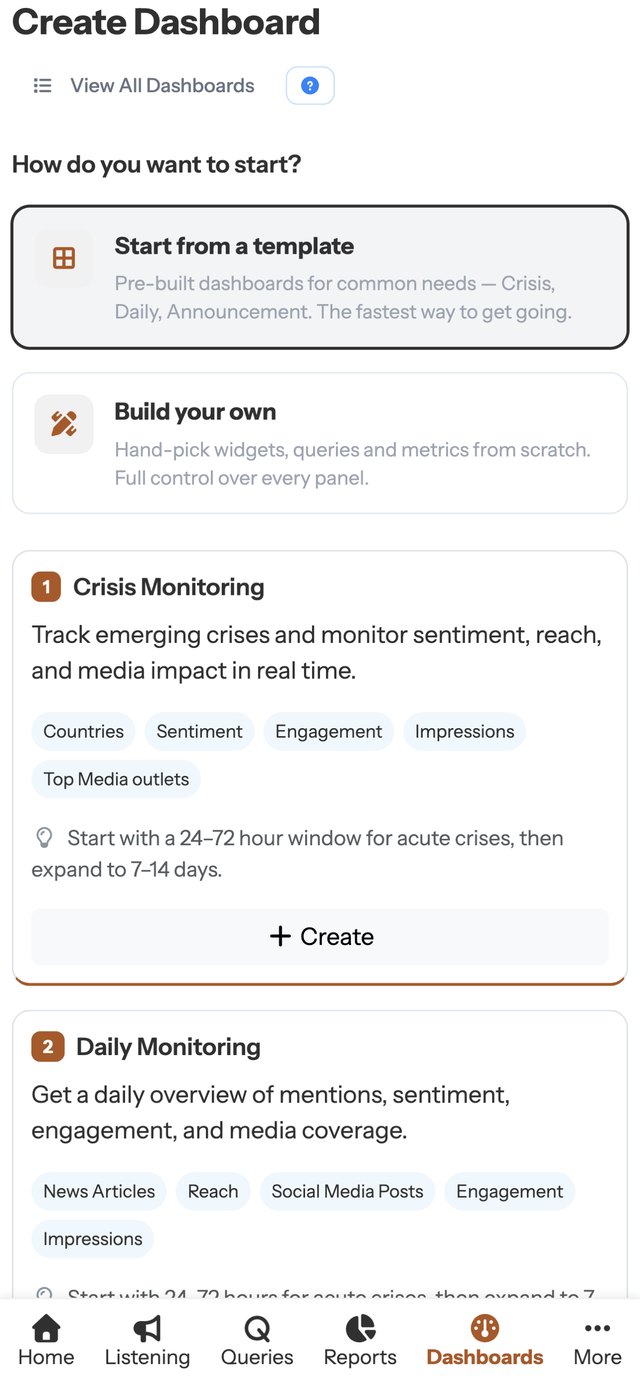
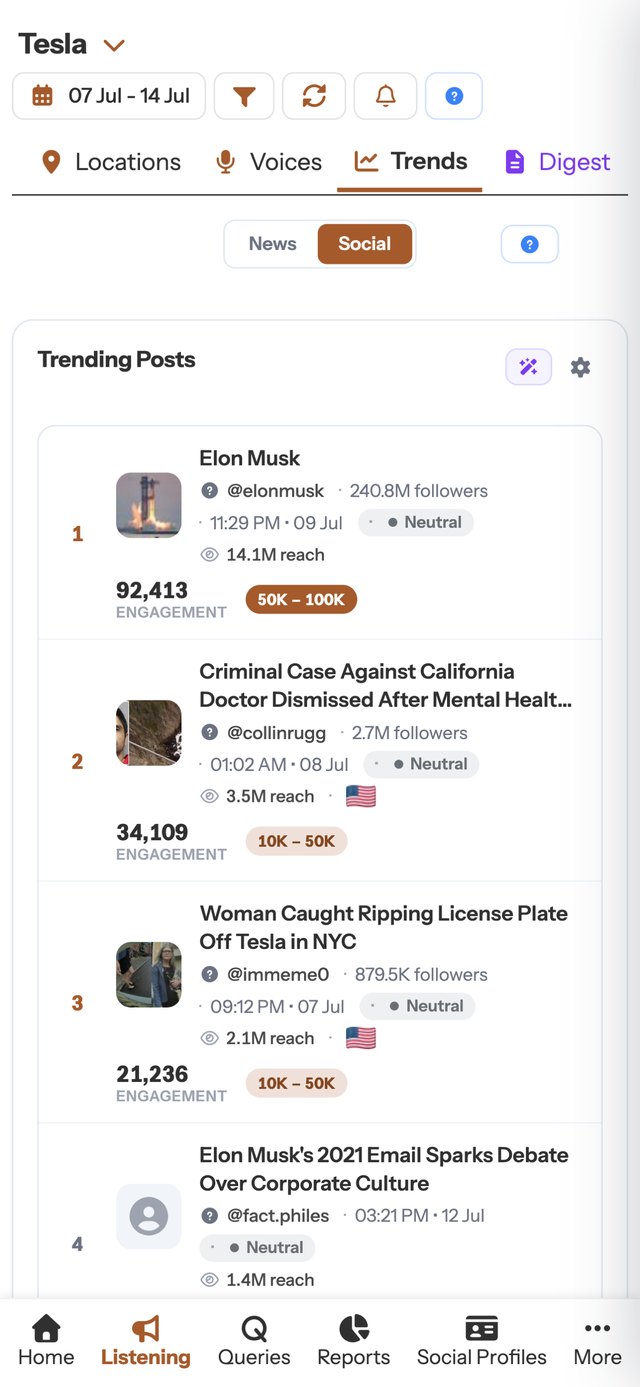
The Locus Elite App also serves as the gateway to the Locus Elite Products — a connected suite of advanced tools like Media Listening, Story Weaver, Incident Tracker, and many more. Together, they deliver capabilities for media intelligence, narrative mapping, incident response, and advanced analytics, all unified under one secure command hub for end-to-end intelligence and decisive action.
Monitor, analyze, summarize, visualize — and act
Locus Elite provides you with the complete intelligence cycle — empowering you to Monitor , Analyze , Summarize , Visualize , and Act on information with clarity and control.
Monitor
Stay on top of global news, broadcast, and social media in one dashboard, with queries, filters, and realtime alerts keeping you informed.
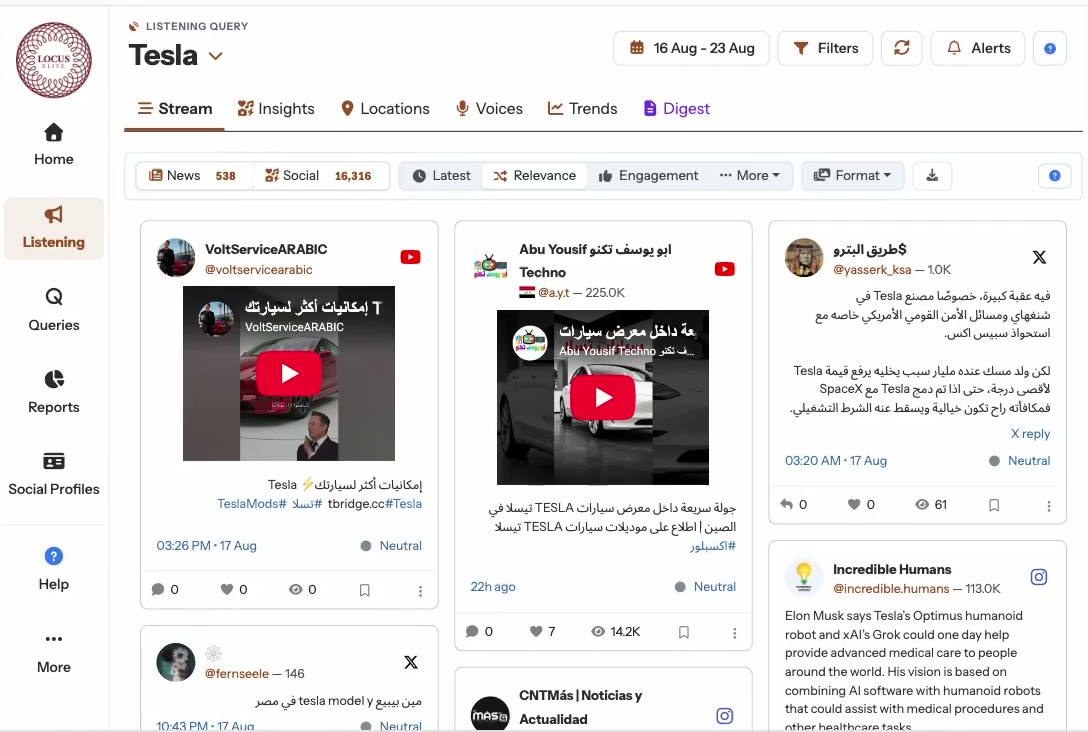
Unified News & Social Media Coverage
The Media Listening product tab in app provides news, social media, and broadcast monitoring all on one dashboard, delivering comprehensive and complete coverage across sources.
Precision Query-Based Search
Create and edit queries with advanced keywords, hashtags, and Boolean logic in the View & Edit Queries panel . Refine results, save searches, and share queries across your organization.
Realtime Alerts & Digests
Set up realtime automated alerts from the Alerts tab and receive updates the moment coverage spikes — delivered to email and phone. Stay informed with digests scheduled to match leadership or operational needs.
Smart Filters for Refined Insights
Filter search results by region, timeframe, sentiment, or source, or use the Sources and Locations tabs on the Listening page to apply built-in filters for quick, hassle-free analysis.
Analyze
From sentiment shifts to influencer credibility, uncover the patterns, voices, and conversations driving narratives across platforms.
Sentiment & Emotion Tracking
The Sentiment tab on each post card shows tone across articles, posts, and entities. Track percentages like anger, support, or criticism — and adjust overall sentiment manually if required.
Author & Influencer Insights
The Author Profile view lets you evaluate reach, credibility, and posting history. See previous posts with analysis, and detect potential threats to your organization from specific authors or media outlets.
Conversation Mining
Use the Comments tab on the Postcard to analyze replies and discussions at scale. Extract recurring themes and emotions in real time — or import comments manually by copy-pasting them from the original post.
Trends
See what’s rising, resonating, and shaping perception at a glance. Trends highlights top stories , influential posts, key themes, entities, and sentiment shifts across news and social media — instantly.
Summarize
Turn lengthy articles or posts into precise, multilingual briefs tailored for leadership updates, quick notes, or regional reports.
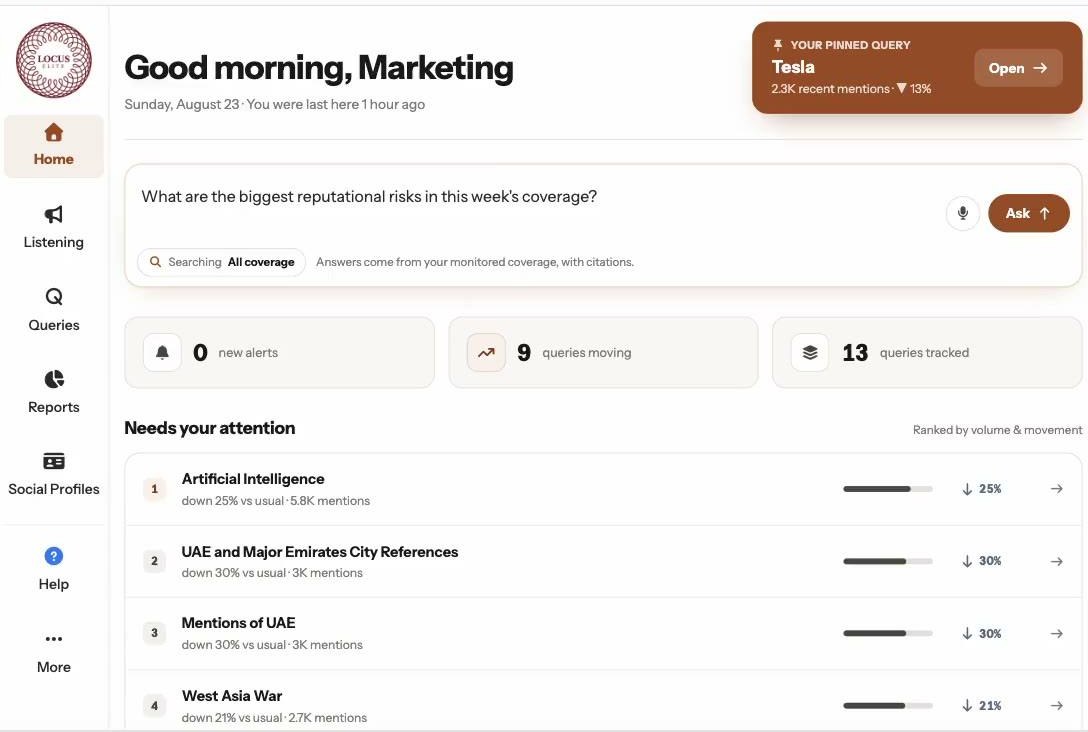
Entity-Level Summaries
In the Summary tab, condense long articles or posts into short briefs that highlight the key people, institutions, and regions involved.
Editable Summaries
Go to Summary tab settings to control length, language, format, tone, and audience. Generate instant outputs in 120+ languages, choose between a leadership brief, a WhatsApp-style note, or a regional focus, and add custom instructions to highlight specific entities or themes.
Ask Weaver
Chat directly with your media and social data using natural language. Ask Weaver instantly delivers structured, traceable insights — from themes and sentiment to narratives and comparisons — all built from your existing datasets.
Visualize
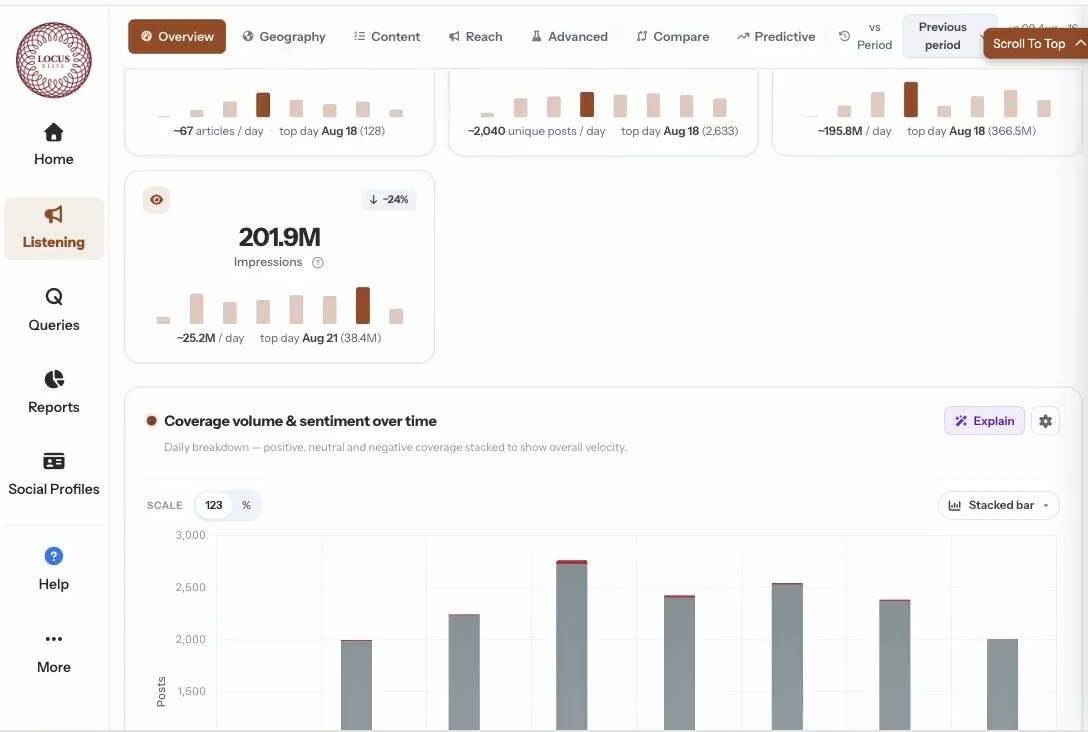
Watch coverage spikes, engagement flows, and sentiment trends unfold through interactive dashboards, with the ability to drill down instantly.
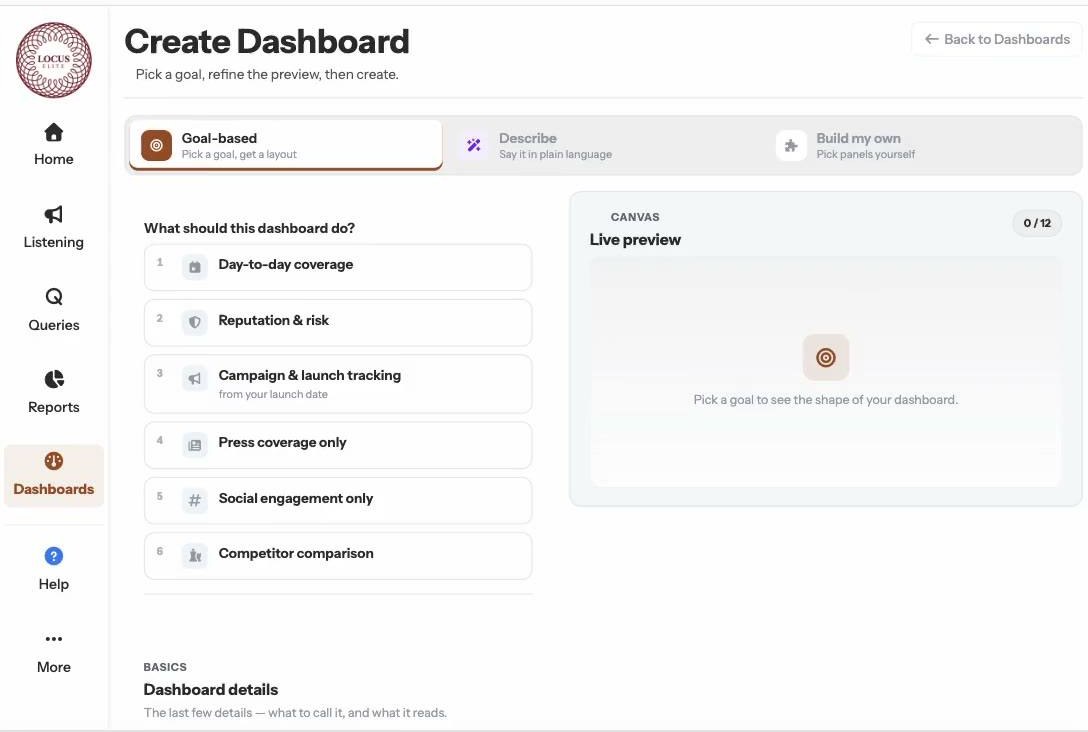
Impact Tracker
Track how narratives rise , peak , and fade across news and social media — in real time. Impact Tracker reveals speed, scale, virality, and lifespan of attention so teams can detect early risks , measure escalation, and act at the right moment.
Interactive Dashboards
Navigate to the News Analytics tab and Social Media Analytics tab, each with a dedicated view for clear coverage. Track spikes, sentiment flows, engagement trends, AVE impact, and dozens of KPIs in detailed, interactive charts.
Drill-Down Analytics
Click any point on the graphs to reveal the exact articles, posts, or accounts driving activity. Access deeper analysis by day, date, language, sentiment, and platform for precise context.
Act & Organize
Tag and bookmark intelligence for structure, then export datasets or reports and collaborate securely across your teams.
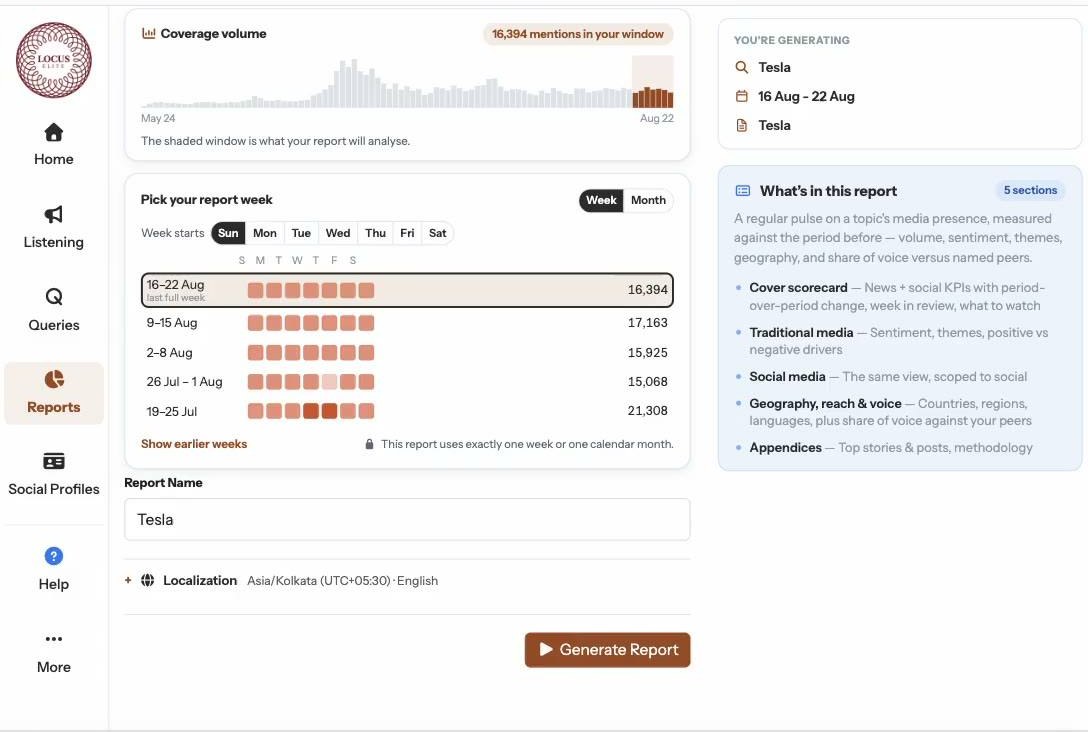
Tagging & Bookmarking
Classify mentions and case files with custom labels — like Humanitarian Aid, Regional Security, or Disinformation. Bookmark important items to revisit later, building a structured, searchable archive.
Easy Exports
Export charts, visualizations, and datasets into Excel, PDF, or image formats — whether for deeper analysis or polished leadership reports.
Enterprise-Grade Reliability
Manage access through the Admin Console with role-based permissions (analyst, reviewer, leadership). Sensitive queries and reports stay restricted, while governance controls keep everything secure.
Step beyond traditional monitoring
The Locus Elite App transforms information into command — intelligence unified, secured, and delivered at the speed of need.
See the Locus Elite App in action
Share your details and we'll set up a walkthrough on your priorities.